
The Invisible Shield Protecting You Online
- trishamehta37
- Mar 31
- 4 min read
Every time you shop online, send a message, or log into a website, you’re trusting that your data is safe. But have you ever wondered how websites and apps keep hackers from stealing your passwords, credit card numbers, or personal information? That’s where cybersecurity comes in. In this post, we’ll break down what cybersecurity is, why it matters, and how everyday systems protect your information from online threats.
What is Cybersecurity?
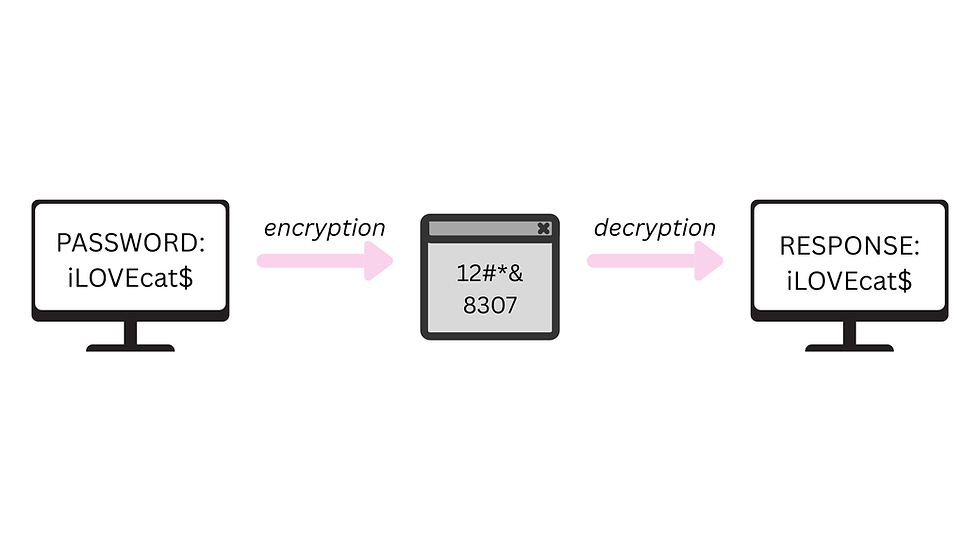
Cybersecurity is a key part of protecting all of your data, whether that be credit card information or login information it is important to keep this data safe from hackers. Cybersecurity is effort of keeping people, data, and systems from cyberattacks by using a multitude of technologies, policies and processes. One way your data can stay safe is by encryption; as mentioned in a previous Byte Blooms blog, encryption is the process of converting readable data (plaintext) into an unreadable, scrambled format (ciphertex") using cryptographic algorithms and keys. Each character of your password is assigned a numerical value and it is shuffled, this keeps a hacker from deciphering it.
The Effects of a Cyberattacks
A cyberattack is exactly as it sounds, an attack on online services. Cyberattacks are extremely dangerous and can cause financial and emotional distress for the individuals that are affected. A cyberattack is an intentional attempt to achieve unauthorized access to a computer network, system or digital device. The goal of a cyberattack is to steal, expose, alter, disable or destroy data, applications or other items. Cyberattacks can originate from single hackers to large groups of hackers; these hackers can earn money by selling the information that they gain on the dark web or just be paid for causing havoc to systems with these attacks. Hackers usually do these acts for criminal acts, political efforts, or even personal affairs. There are several different types of attacks that hackers can launch including: social engineering (exploiting human trust), dental-of-service attacks (sending fraudulent requests to a server which eventually causes high amounts of traffic), man-in-the-middle attacks (compromising the connect between two parties), and even DNS tunnelling (sending malicious packets through the DNS system). Although these attacks are very complicated – and usually reserved for larger corporations – there are a few malware's that are common to see in your daily life.
Here are some examples:
Trojan Horses: the attacks disguise themselves as trustworthy programs, once they are on your device they can install more malware, hackers can get a lot of personal information about you from this malware.
Scareware: victims are spammed with illegitimate warnings and “scare” tactics to make them download a program or give the hackers personal information.
Spyware: when downloaded onto a device this malware will secretly take your usernames, passwords, credit cards numbers, and other personal data. This data will be sent back to the hacker.
Ransomware: this attack uses strong encryption to hold files or other systems “hostage” until the victim pays a certain amount of money/bitcoin to the hackers.
Worms: this malware spreads quickly throughout devices that are connected on the same network, it steals personal information.
Rootkits: this malware can gain access to your operating system and essentially control everything on the device (while still being hidden).

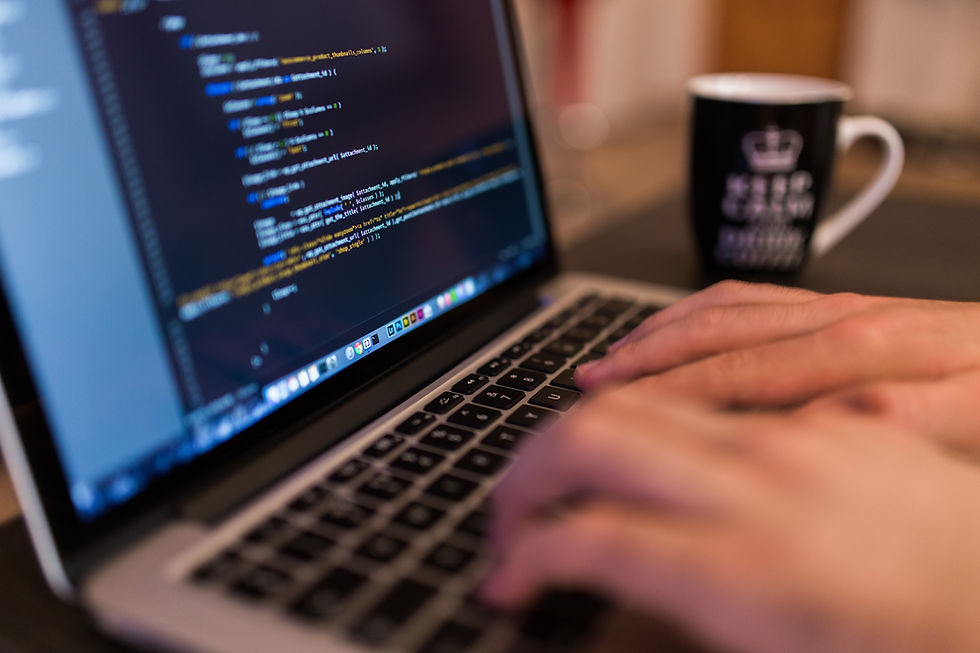
A hacker using a laptop.
Having anti-hacking software on devices (such as laptops) is very important in keeping malware away from you. Software such as Norton360 can keep malware off your devices making sure anything personal is kept away from hackers.
How is your Data Protected?
With so much malware out there how can you know your data is protected from hackers? Even though malware can happen to anyone there are ways to keep yourself at low-risk! First, always keep your software up to date, including your operating system, browser, and security programs, updates often include fixes for vulnerabilities that attackers could exploit. Next, your Wi‑Fi network should be secured with a strong password so outsiders can’t easily access your connection.
Protecting your online accounts means using strong passwords with a mix of letters, numbers, and symbols, and turning on two‑factor authentication (2FA) to add an extra layer of security. When using two-factor authentication you could get a text on your phone with code when logging into an account, this makes sure you're the only one logging in. When you enter personal or financial information online, make sure the website’s address starts with https, that s means your connection is encrypted and harder for attackers to intercept. It’s also important to recognize dangerous attempts to steal information, like phishing emails or unexpected messages asking for your passwords; when in doubt, contact the company directly using a trusted source rather than clicking a link in the message. And if your information is compromised, reporting it to resources like IdentityTheft.gov can help you recover and protect yourself further. All of these steps together make it more difficult for cybercriminals to access your data and help keep your digital life secure.
Take Aways
Cybersecurity is the invisible shield that protects your digital life every day. From strong passwords and two-factor authentication to encryption, firewalls, and safe browsing habits, multiple layers work together to keep your personal data secure. Cyberattacks can come from anyone, anywhere, and the consequences can be serious, but understanding how these attacks work and taking the right precautions makes a huge difference. By practicing good online security habits and staying aware of potential threats, you can enjoy the internet safely and confidently, knowing your information is protected.
Sources Cited
This article was informed by reliable technology and security resources. Information about cyberattacks — what they are, how they work, and why they are dangerous — was referenced from IBM’s overview of cyberattacks and cybersecurity concepts. (https://www.ibm.com/think/topics/cyber-attack, https://www.ibm.com/think/topics/cybersecurity) Guidance on how to protect your data, including steps people can take to safeguard their personal information and recognize threats, was based on consumer security advice from the Federal Trade Commission (https://consumer.ftc.gov/node/77479). Graphic was made on Canva.


Comments